A calm second read on every X-ray.
Upload a film, PDF or phone photo. Get a structured AI read in about a minute, with uncertainty spelled out.
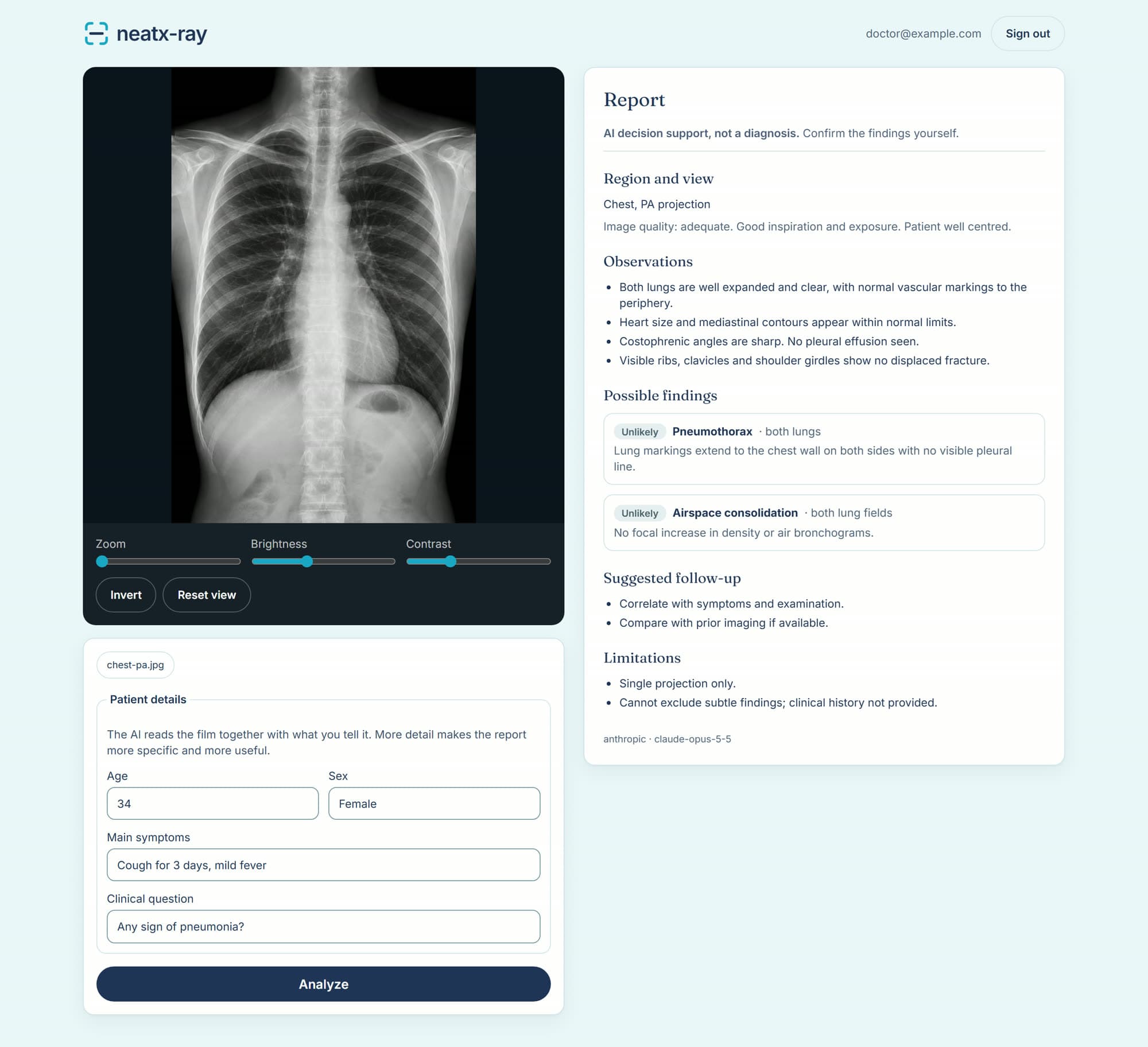
Every finding carries a confidence label and the visible features behind it, so you can check the reasoning against your own film.
Illustrative example with a sample image. Not a real patient.
From image to report in three steps
- 01
Add the image
Upload a scan, drop in a PDF, or photograph a film with your phone camera.
- 02
Add context
Note the age, symptoms, or the question you want the AI to focus on.
- 03
Review the read
Get a structured second opinion in about a minute, then confirm it with your own judgement.
Photograph a film. Get a read.
No scanner or PACS export needed. Hold your phone to a film on the lightbox and neatx-ray reads the photo. For the best result, shoot straight on, avoid glare and fill the frame.
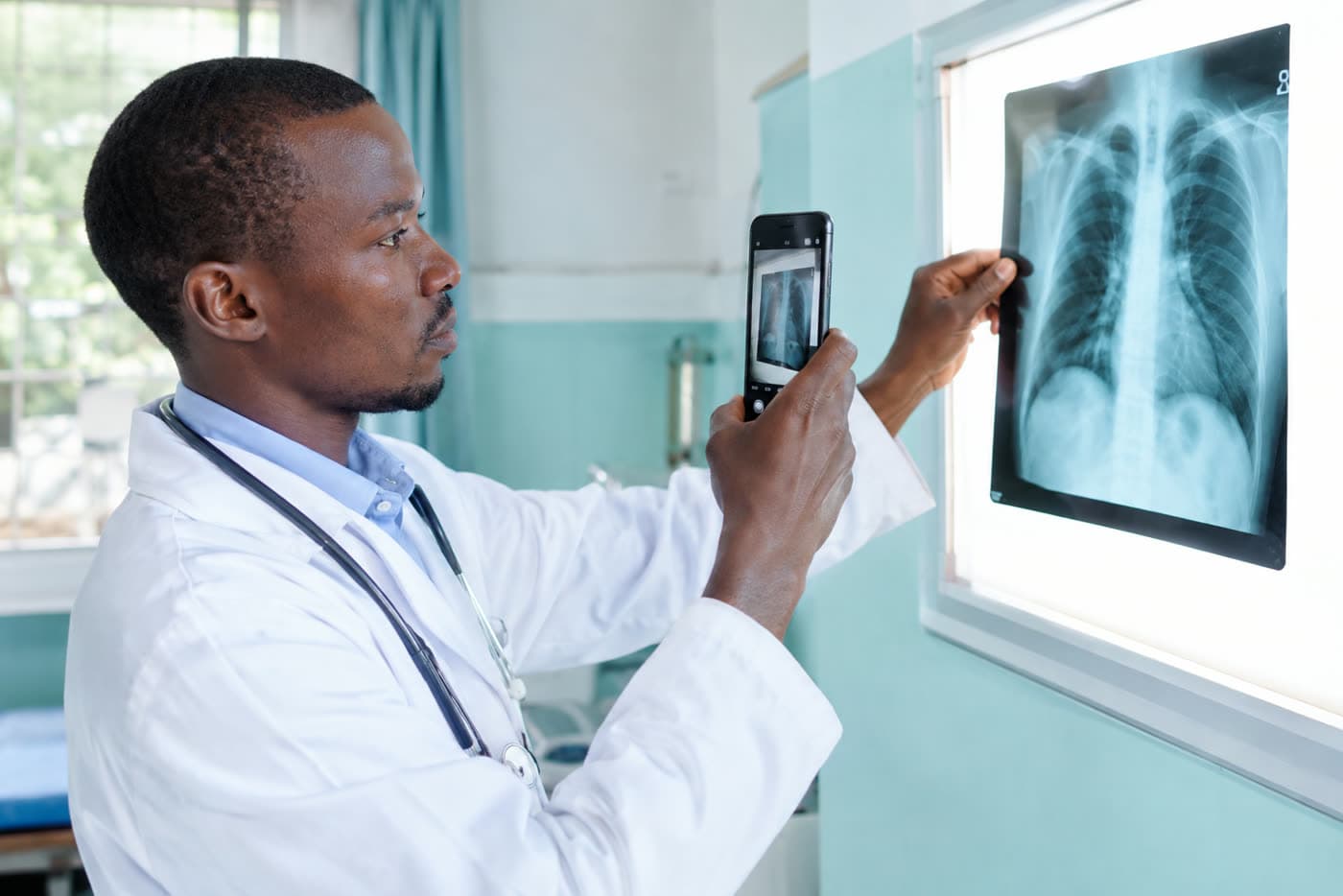
Photos of films and screens carry less detail than original images, and the report says so when quality limits the reading.

Built for the way clinics actually work
- Every format you actually have
- JPG, PNG, WebP, HEIC phone photos, multi-page PDFs and live camera capture. No converting first.
- Honest about uncertainty
- Poor exposure, glare or a photo of a screen? The report says how that limits the reading instead of guessing.
- Private by design
- Images sit in a private store and are visible only to the doctor who uploaded them.
- Yours to delete
- Remove any case and its images permanently with one click.

A second pair of eyes, never the final word
AI can miss findings and can state things that are not there. neatx-ray is designed to support your review, not replace it: it shows its reasoning, labels its uncertainty, flags possibly urgent findings, and leaves every clinical decision to you.
Questions
Does neatx-ray diagnose patients?
No. It is decision support for qualified clinicians. It describes what it sees and suggests possibilities; the doctor makes every clinical decision.
What can I upload?
Common image formats (JPG, PNG, WebP, HEIC), PDFs and live camera photos. DICOM and TIFF are not supported yet; export them as JPG or PNG.
Who can see my images?
Only your own account. Images are stored in a private bucket and opened through short-lived links. Use anonymized images and keep patient names and IDs out of labels and notes.
Can I use it on real patients?
Check your local health-data rules and your organisation's policy first. During evaluation, use anonymized or public images.
How do I get access?
Accounts are created for you by an administrator. Ask them to add you with your email address.
Bring a calmer workflow to your reading room
Create an account or sign in to start reading films with AI decision support.
Scan now